


Super Slime Simulator: DIY Art
4.533.75K Reviews
App Specs
- Version
- 12.93
- Updated On
- License
- Free
- Downloads
- 100,000,000+
- Developer
- Dramaton
- Categories
- Lifestyle
- Platform
- Android, iOS
Screenshots
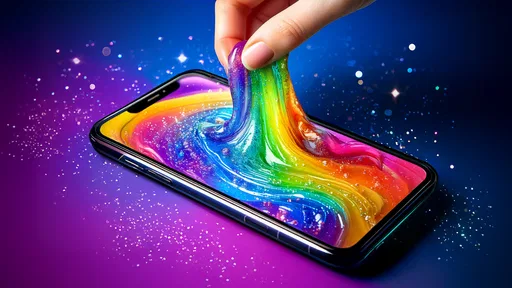
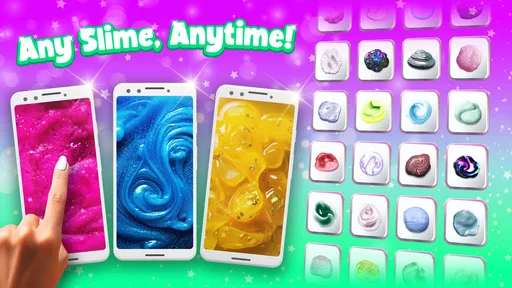
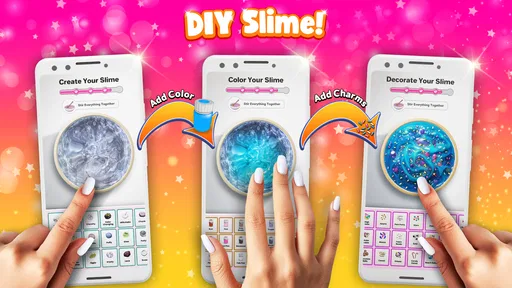
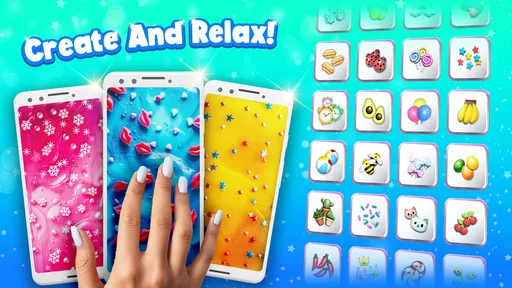
 Analysis by AppCompare
The quickest way to understand Super Slime Simulator: DIY Art is to treat it as a small creative break, not a full art studio or a substitute for physical slime. You make and play with virtual goo on your screen, choosing a look and enjoying its squishy sounds and motion. I’d recommend it to someone who wants an easy, low-effort activity between tasks, but not to anyone expecting deep crafting tools, a structured game, or the feel of real material.
That distinction makes the first try more satisfying. I would open it with a simple goal—make one slime that looks pleasing and spend a few minutes interacting with it—rather than trying to discover every option at once. The app is free to download, while optional in-app purchases range from $3.49 to $54.99 per item, so it’s sensible to explore the basic experience before deciding whether anything extra is worth paying for.
What to expect from a virtual slime break
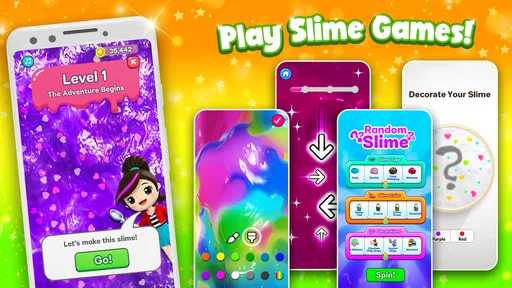
This is a lifestyle app from Dramaton, built around making slime on a phone and enjoying an ASMR-style experience. It isn’t a conventional puzzle or level-based game: the appeal is the small creative loop of choosing a slime, adjusting its appearance, and playing with it through touch. The screen is the whole workspace, which means there’s no cleanup, but also no genuine tactile feedback from physical slime.
That trade-off is the point. The visual response and sound can make a short pause feel pleasantly absorbing, especially if you like repetitive, sensory activities. I find the experience better suited to unwinding for a few minutes than to sustained concentration. If you want an activity with goals, competition, or a clear sense of progress, a puzzle game will probably hold your attention longer.
There’s a reason so many people have tried it: it has a 4.5 average from around 898,000 ratings and has passed 100 million installs. Those figures suggest broad appeal, but they don’t guarantee that the sounds or style will suit you personally. Sensory preferences are individual; if squishy audio irritates you, the same feature that makes the app relaxing for one person may be distracting for another.
From install to your first satisfying creation
On first opening, I’d keep the aim modest. Start with the basic creation flow, pick a color or texture that appeals to you, and make a slime before worrying about elaborate combinations. The interface is designed to be approachable, so there’s no need to arrive with a plan or learn a complicated set of controls. A small first success helps you understand what kind of interaction you enjoy.
Once you have a creation, try changing one element at a time. If you alter color, texture, and decorative details all at once, it can be harder to tell which choice improved the result. This simple compare-and-adjust approach is a useful way to explore the DIY side without turning a relaxing activity into a menu hunt. Save your more ambitious experiments for when you’re in the mood to tinker.
Worth Reading Before You Choose

Switching to Android Auto Means Rethinking Your Driving Routine

Google Calendar Makes a Crowded Week Easier to Manage

Baby Panda World Brings Quick Play to Modern Phones, but Its Game Library Feels Busy

ESPN’s Live Game View Makes Following Close Games Easier

QuizzLand Review: A Good Fit for Short Trivia Breaks, Not Every Player

Basketball Stars: Multiplayer Is Fast, but Can It Recover When Matches Go Wrong?
For a realistic everyday use, imagine waiting for a ride or taking a short pause after studying. You can open the app, make a quick visual choice, and spend a few minutes interacting with the slime instead of scrolling through a busy feed. Headphones may make the sound more engaging, but they aren’t essential to the basic creative idea. I’d keep the volume comfortable and use the app when a quiet, repetitive activity sounds welcome—not when you need to stay alert to your surroundings.
Finding your preferred style without getting stuck
The app’s appeal isn’t only in making one polished design. Browsing other users’ creations can give you ideas when you’ve run out of inspiration, and sharing your own result offers a small social outlet. I’d use the gallery as a source of visual prompts rather than a standard to compete with: a design that looks elaborate may take more experimentation, while a simple color choice can be satisfying in its own right.
A practical tip is to decide what you want from a session before you start. If you want calm, choose a combination that looks pleasant and focus on the sound and motion. If you want to experiment, change one feature at a time and compare the results. If you’re mainly curious about what other people make, browse for a little while, then return to your own creation. These approaches keep the app from feeling like an endless set of options.
It’s also worth being clear about what “realistic” means here. The animations and sound effects can evoke the familiar squish-and-stretch feeling, but a phone can’t recreate pressure, temperature, or the resistance of actual slime. I enjoy it as a screen-based sensory toy, not as a replacement for hands-on crafts. If the physical feel is the part you’re seeking, making slime in person is the better choice; if you want to avoid mess and still enjoy the visual and audio elements, this app has the stronger case.
Where the experience has limits
Ads can interrupt the flow, even if they don’t dominate every session, and some options sit behind in-app purchases. Since the app is free to start, I’d first decide whether the basic creation and interaction loop is enjoyable enough on its own. Don’t buy extras just because you feel you need to complete a collection or match a gallery image; make that choice only if a particular addition genuinely matters to you.
For a child, the Everyone age rating makes the app broadly accessible, but that doesn’t remove the need for an adult to think about purchases and device use. I’d set expectations before handing over a phone: the download costs nothing, while optional items can cost money. An adult should handle purchase decisions, and a child who tends to tap through prompts quickly may be better off using the app with supervision.
Compatibility is another easy practical check: the current version is 12.82, and it requires Android 7.0 or later. If you’re choosing between devices, check the operating system before downloading rather than assuming an older phone will run it. The app has been available since April 25, 2018, so it’s an established option rather than a newly launched experiment, though what matters most is whether its particular mix of customization and sensory play fits your habits.
Getting Gooey with It
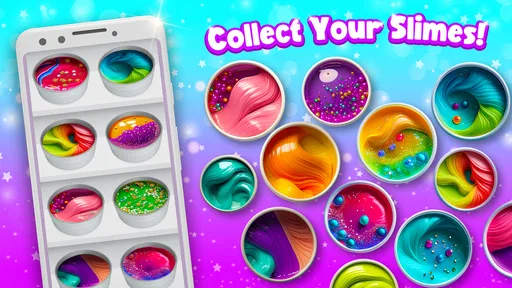
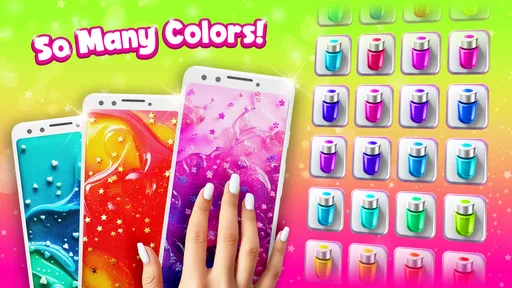
Right off the bat, Super Slime Simulator is like having a virtual slime factory right in your pocket. The app offers an array of slime textures and colors, and you can even mix your own. It’s like being a kid again, but without the mess. The DIY aspect is a blast—tweak the colors, mix in some glitter or foam beads, and you're good to go. The tactile sensation is surprisingly realistic, almost like the real thing.
The interface is super user-friendly. You don’t need to be a tech wizard to figure it out. Everything is laid out clearly, and the options are easy to navigate. Whether you want to create a simple, soothing slime or something more elaborate, the app’s got you covered.
Features That Stick
One of the coolest features I found is the ability to share your creations. Made a slime masterpiece? Show it off! There’s also a gallery where you can check out what other users have made. It’s a neat way to get inspired and see what’s possible.
Another standout feature is the ASMR component. The sound effects are spot on—every squish, pop, and stretch sounds just right. It adds an extra layer of satisfaction to the experience. I’ve found myself plugging in headphones just to enjoy the full sensory experience.
A Few Sticky Spots
While I’m all about positivity, it’s worth mentioning that the app does have ads. They’re not overwhelming, but they do pop up occasionally. Also, some features require in-app purchases. It’s something to keep in mind if you want to unlock all the bells and whistles.
For the younger audience, parental controls might be something to consider, especially with the purchasing aspect. But honestly, it’s a minor trade-off for the amount of fun you can have with this app.
Why You’ll Love It
In a nutshell, Super Slime Simulator: DIY Art is a fantastic way to unwind and get a little creative. It’s perfect for all ages, whether you’re a kid, a teen, or just someone who loves a bit of tactile fun. The app is versatile, allowing for endless creativity, and the whole experience is just plain delightful.
So, if you’re looking for something to brighten up your day, give this app a try. It’s a little pocket of joy that’s just a download away. Trust me, you won’t regret it!
Pros
- Wide variety of slime textures and colors.
- Realistic sound effects enhance the experience.
- Easy-to-use interface for all ages.
- Regular updates with new slime options.
- No internet required for gameplay.
Cons
- Contains ads that can be intrusive.
- Limited free content
- many in-app purchases.
- Graphics could be improved for higher realism.
- Occasional lag on older devices.
- No multiplayer or sharing features.
FAQs for Super Slime Simulator: DIY Art
What is Super Slime Simulator: DIY Art?
Super Slime Simulator: DIY Art is a creative application that allows users to craft and play with virtual slime. It offers a wide variety of textures, colors, and accessories to customize your slime creations. Perfect for relaxation and stress relief, this app provides a mess-free slime experience on your mobile device.
Is Super Slime Simulator: DIY Art free to download?
Yes, Super Slime Simulator: DIY Art is free to download on both Android and iOS platforms. However, it contains in-app purchases and ads. Users can buy additional slime packs, accessories, and premium features to enhance their creative experience. Basic features are accessible without any purchases.
What are the main features of Super Slime Simulator: DIY Art?
The app offers a range of features, including a vast selection of slime types, colors, and decorations. Users can mix different components to create unique slimes and share their creations with friends. The app also includes a realistic slime simulation, providing tactile sensations and sounds similar to playing with real slime.
Is Super Slime Simulator: DIY Art safe for children?
Yes, Super Slime Simulator: DIY Art is designed to be child-friendly, with easy-to-use controls and no physical mess involved. However, parental guidance is recommended due to in-app purchases and ads. Parents can disable purchases through device settings to prevent accidental spending.
Can I play Super Slime Simulator: DIY Art offline?
Super Slime Simulator: DIY Art can be used offline, allowing users to create and play with their slime creations without an internet connection. However, certain features, such as downloading new slime packs or sharing creations online, require a connection to function properly.


